Risk & Compliance
Risk & Compliance is the operational risk management layer of AI Governance. It provides three integrated capabilities for tracking, assessing, and validating the governance posture of AI activity across the organization: Incidents, Risk Register, and Control Reviews.
Capture, track, and resolve governance incidents, asset-level risks, and periodic control validations — all in one place.
All three tabs affect the same modules: AI Assistants, AI Reasoning Objects, and ARPIA AI Codex.
Who Uses This Section#
| Role | How They Use It |
|---|---|
| CISO / Security Officer | Log and own AI governance incidents. Maintain the risk register for high-risk AI assets. Ensure control reviews are scheduled and completed on time. |
| Compliance Officer | Use incidents, risk records, and control review results as audit evidence across SOC 2, ISO 42001, NIST AI RMF, EU AI Act, and internal audit programs. |
| Platform Administrator | Assign ownership to incidents and risks. Escalate open items before review cycles close. |
| AI Product Owner | Monitor reliability and cost incidents tied to specific assistants or workers. Track mitigation plans for assets under their ownership. |
| Internal Auditor | Review control review results and incident history to assess whether governance controls are effective beyond design-time configuration. |
Incidents#
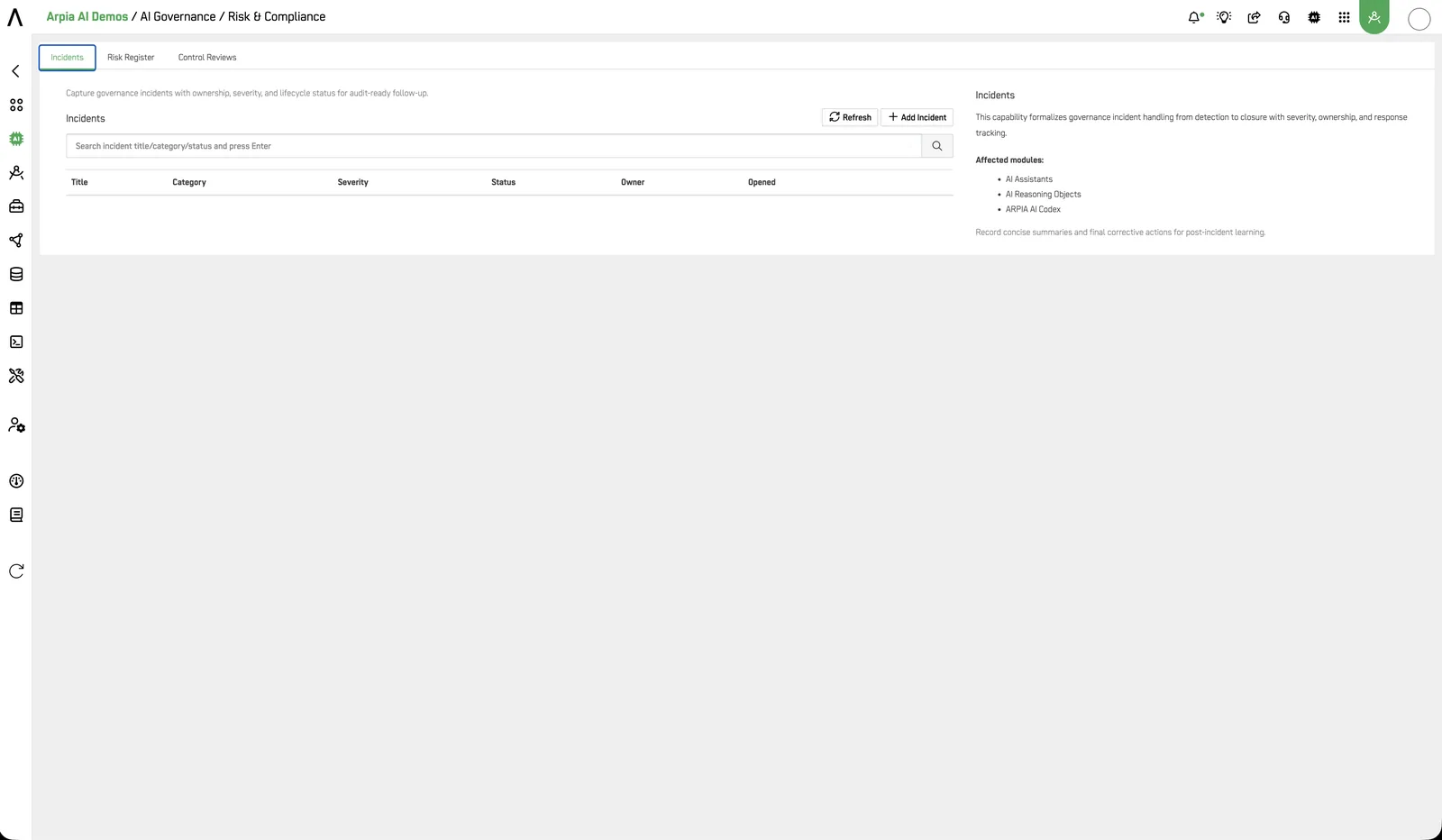
Capture governance incidents with ownership, severity, and lifecycle status for audit-ready follow-up.
The Incidents tab formalizes governance incident handling from detection to closure — with severity, ownership, and response tracking built in.
Record concise summaries and final corrective actions for post-incident learning.
The Incidents table displays: Title, Category, Severity, Status, Owner, Opened. Use the search bar to filter by incident title, category, or status.
Creating an Incident#
Click + Add Incident.
| Field | Description |
|---|---|
| Title | Descriptive name of the incident |
| Category | Type of governance incident (see below) |
| Severity | Impact level: LOW (default) |
| Status | Current lifecycle state (see below) |
| Owner User | Accountable owner responsible for resolution |
| Summary | Description of what occurred, impact, and corrective actions taken |
Incident Categories
| Category | Description |
|---|---|
| SAFETY | AI output posed a safety risk to users or third parties |
| SECURITY | Unauthorized access, data exposure, or misuse of AI systems |
| PRIVACY | AI output or processing involved personal data without authorization |
| COST | Unexpected or excessive token/AVU consumption |
| RELIABILITY | AI system downtime, degraded performance, or failed execution |
| COMPLIANCE | AI behavior violated a regulatory, policy, or contractual obligation |
Incident Status Lifecycle
| Status | Description |
|---|---|
| OPEN | Incident detected and logged — investigation not yet started |
| IN_PROGRESS | Investigation or remediation is actively underway |
| MITIGATED | Immediate risk has been contained — root cause may still be open |
| CLOSED | Fully resolved with corrective action documented |
Risk Register#
Maintain asset-level risk posture with owners, mitigation plans, and scheduled reassessments.
The Risk Register tracks governance risk at the individual AI asset level — with clear ownership, mitigation plans, and scheduled review dates.
Keep high-risk assets on shorter review cycles with explicit mitigation status.
The Risk Register table displays: Asset, Risk, Score, Owner, Next Review, Status. Use the search bar to filter by asset or risk level.
Creating a Risk Record#
Click + Add Risk.
| Field | Description |
|---|---|
| Asset Type | Type of AI asset being assessed: ASSISTANT (default) |
| Asset Ref | Identifier or name of the specific asset |
| Risk Level | Assessed risk level: LOW (default) |
| Risk Score | Numeric risk score (0.00–1.00 or organization-defined scale) |
| Owner User | Accountable owner for risk monitoring and mitigation |
| Mitigation Plan | Description of controls, actions, or compensating measures in place |
| Next Review | Scheduled date and time for the next risk reassessment |
| Status | ACTIVE — risk record is being monitored · INACTIVE — risk record is archived |
Control Reviews#
Plan and document periodic governance checks. Record outcomes and schedule next review dates.
Control Reviews validate that governance controls are effective beyond their design-time configuration — ensuring policies, model controls, and access rules are actually working as intended.
Align review cadence with risk level and recent incident history.
The Control Reviews table displays: Control, Scope, Frequency, Result, Next Review. Use the search bar to filter by control name, scope, or result.
Creating a Control Review#
Click + Add Review.
| Field | Description |
|---|---|
| Control Name | Name of the governance control being reviewed |
| Control Type | Category of control being validated (see below) |
| Asset Scope Type | Scope of the review (see below) |
| Asset Scope Ref | Specific asset identifier when scope is not GLOBAL |
| Frequency | How often this review recurs (see below) |
| Result | Outcome of the most recent review execution (see below) |
| Reviewer User | User responsible for conducting the review |
| Owner User | User accountable for the control being reviewed |
| Next Review | Scheduled date and time for the next review |
| Notes | Observations, findings, or recommended actions from the review |
Control Types
| Type | Description |
|---|---|
| POLICY | Review of a governance policy — is it correctly configured and enforced? |
| MODEL | Review of model usage — are only approved models in use? |
| DATA_RETENTION | Review of data retention settings — are logs purged per policy? |
| ACCESS | Review of access controls — do only authorized users have access? |
| MODERATION | Review of moderation rulesets — are they triggering correctly? |
| RISK | Review of risk register records — are mitigations still adequate? |
Asset Scope Types
| Scope | Applied To |
|---|---|
| GLOBAL | All AI activity across the organization |
| APP | A specific AI App |
| ASSISTANT | A specific AI Assistant |
| WORKER | A specific AI Worker |
| MODEL | A specific AI model |
Review Frequency
| Frequency | Cadence |
|---|---|
| MONTHLY | Every month |
| QUARTERLY | Every 3 months |
| SEMI_ANNUAL | Every 6 months |
| ANNUAL | Once per year |
Review Results
| Result | Meaning |
|---|---|
| PASS | Control is operating effectively — no findings |
| FAIL | Control is not operating effectively — remediation required |
| NEEDS_ATTENTION | Control is partially effective — improvement recommended |
Governance Best Practices#
Align review cadence with risk level. High-risk assets (CRITICAL or HIGH in the Risk Register) should have MONTHLY or QUARTERLY control reviews. LOW-risk assets can be SEMI_ANNUAL or ANNUAL. Recent incidents should trigger an out-of-cycle review.
Every incident needs an owner. Ownerless incidents create accountability gaps in your audit trail. Assign ownership at creation, not after investigation.
Use the Summary field for post-incident learning. Auditors reviewing incidents under SOC 2, ISO 42001, or EU AI Act Article 12 will look for evidence that root causes were identified and corrective actions were documented. A complete Summary is that evidence.
Cross-reference incidents and risk records. When an incident surfaces a new risk, create a corresponding Risk Register entry. When a risk materializes into an incident, link them in the Summary. This creates a traceable chain from detection to mitigation.
Control Reviews are your continuous assurance evidence. A PASS result from a scheduled control review is the primary artifact for demonstrating that governance controls are not just designed but operating effectively — required under SOC 2 Type II (CC4.1), ISO 42001 (Clause 9.1), and NIST AI RMF (MEASURE 2.5).
Framework Alignment#
| Framework | Relevant Controls |
|---|---|
| SOC 2 Type II | CC4.1 (monitoring controls), CC7.3 (incident response), CC9.1 (risk assessment) |
| ISO 42001 | Clause 6.1 (risk treatment), Clause 9.1 (monitoring & measurement), Clause 10.1 (nonconformity) |
| NIST AI RMF | MEASURE 2.5 (AI risk monitoring), MANAGE 3.1 (incident response), GOVERN 5.1 (risk culture) |
| EU AI Act | Article 9 (risk management system), Article 12 (record-keeping), Article 62 (incident reporting) |
| ISO 27001 | A.16.1 (incident management), A.18.2 (compliance review) |
Related#
- AI Governance — AI Governance section overview
- Policy Center — governance policy definitions and approvals
- Logs & Usage — full audit trail and interaction history
- Overview — aggregate metrics and provider health dashboard