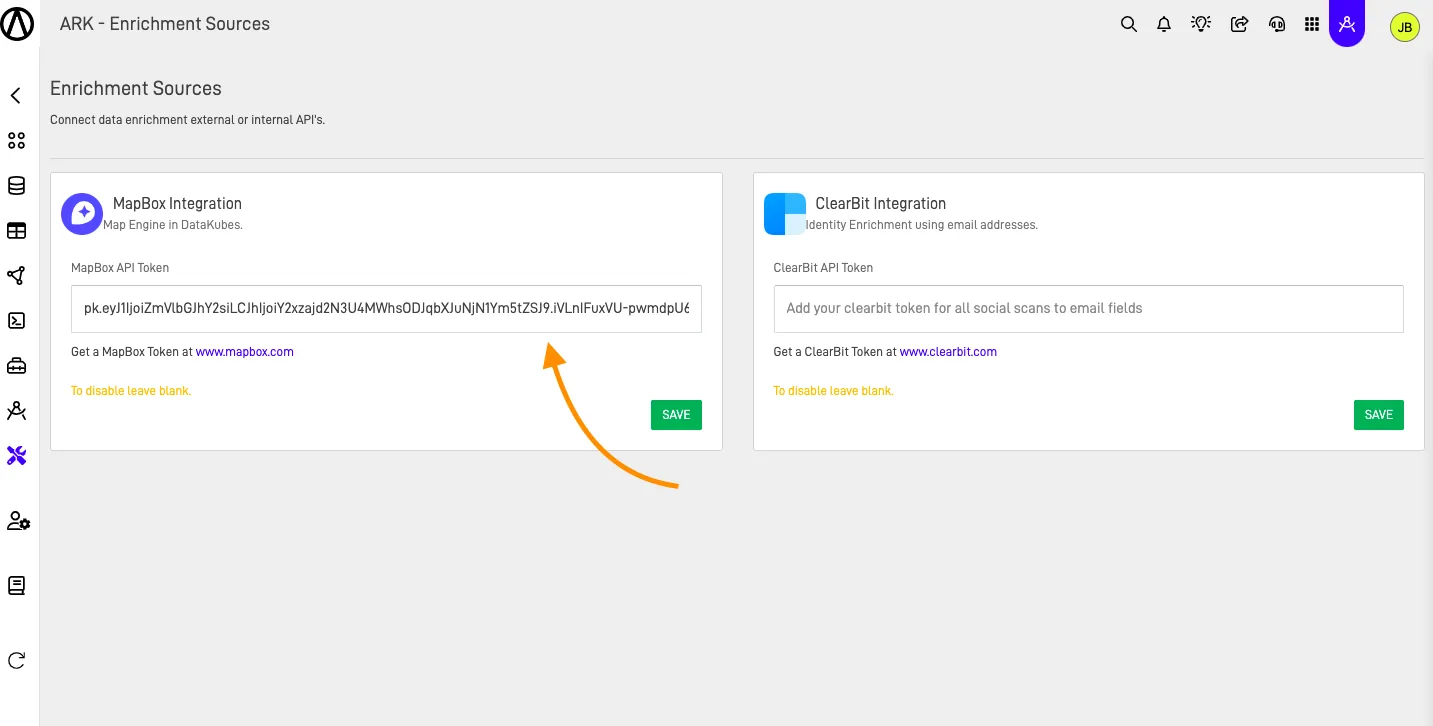
How to use Integrations
Step-by-Step Guide#
To add any of the 2 integrations, follow these steps.
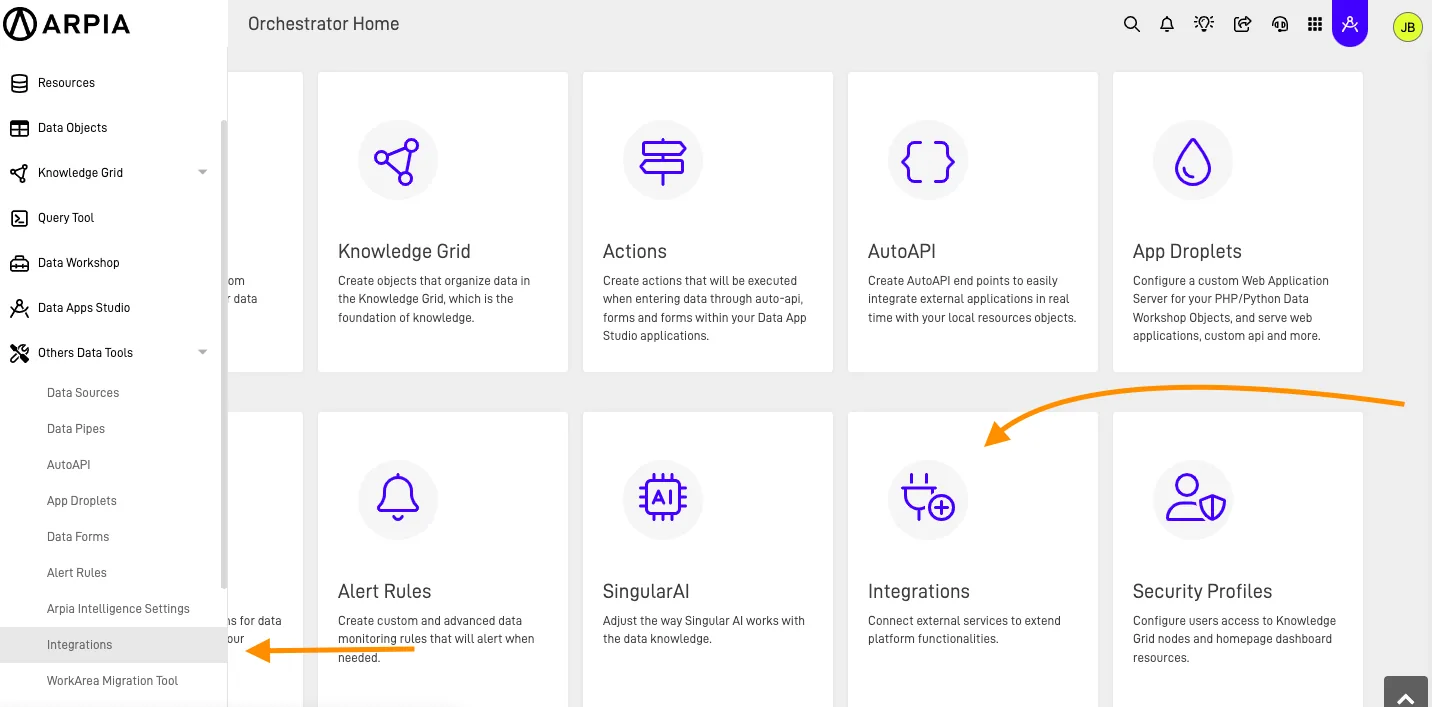
Step 1: Access the Integrations section#
On your Orchestrator's Home page, select the Integrations option. Alternatively, you can navigate to Integrations via the Left Side Menu under, Others Data Tools.
Warning
Necessary APIs
To use the integrations, you need to obtain your API from the services you will use, either ClearBit or MapBox.
Step 2: Add the API you want to use#
Add the API of the integration you want to use and click the Save button.