Data Models (Nodes)
The Reasoning Flows component that defines logical business entities and connects them to the Reasoning Atlas.
Purpose#
Data Models, also called Nodes (formerly Kubes), represent logical business entities such as customers, transactions, or products inside Reasoning Flows. A data source holds data; a Data Model defines what that data means. Other components in the workflow can then reference and reuse that definition.
Defining each business entity once and reusing it keeps workflows consistent and easier to document and maintain.
Not the same as Knowledge Nodes. Knowledge Nodes (Knowledge Ontology Execution Nodes) are a separate component. [VERIFY: one-line distinction]
Where It Fits in Reasoning Flows#
- Extract & Load brings raw or external data into the system.
- Repository Tables register datasets for reuse.
- Transform & Prepare cleans, standardizes, and prepares data.
- AI & Machine Learning builds and trains models.
- Visual Objects turn processed data into reports or APIs.
- Data Models (Nodes) define the meaning and structure of business entities.
- Reasoning Atlas connects Data Models to organizational context, semantics, and generative reasoning.
Role: Data Models link data pipelines to business concepts. They make data flows easier to trace and document, and they connect them to the Reasoning Knowledge Graph.
Key Features#
Defines logical entities. Establishes structured entities (Customer, Product, Transaction) inside Reasoning Flows.
Acts as a shared data contract. Downstream pipelines, APIs, ML components, and AI implementations use the same structure.
Keeps logic modular. Business logic lives in well-defined entities, which simplifies documentation and maintenance.
Supports consistency. Reusing one definition keeps schemas and transformations aligned across workflows.
Recommended Use Cases#
- Bringing business entities (customers, orders) into a data transformation or AI pipeline
- Documenting how datasets interact across the workflow lifecycle
- Tracing inputs, transformations, and outputs for governance and explainability
- Linking Reasoning Flows to the Reasoning Atlas for reasoning and generative AI
- Providing governed data to AI Agents, RAG AI, and AI Workers
Visual Example#
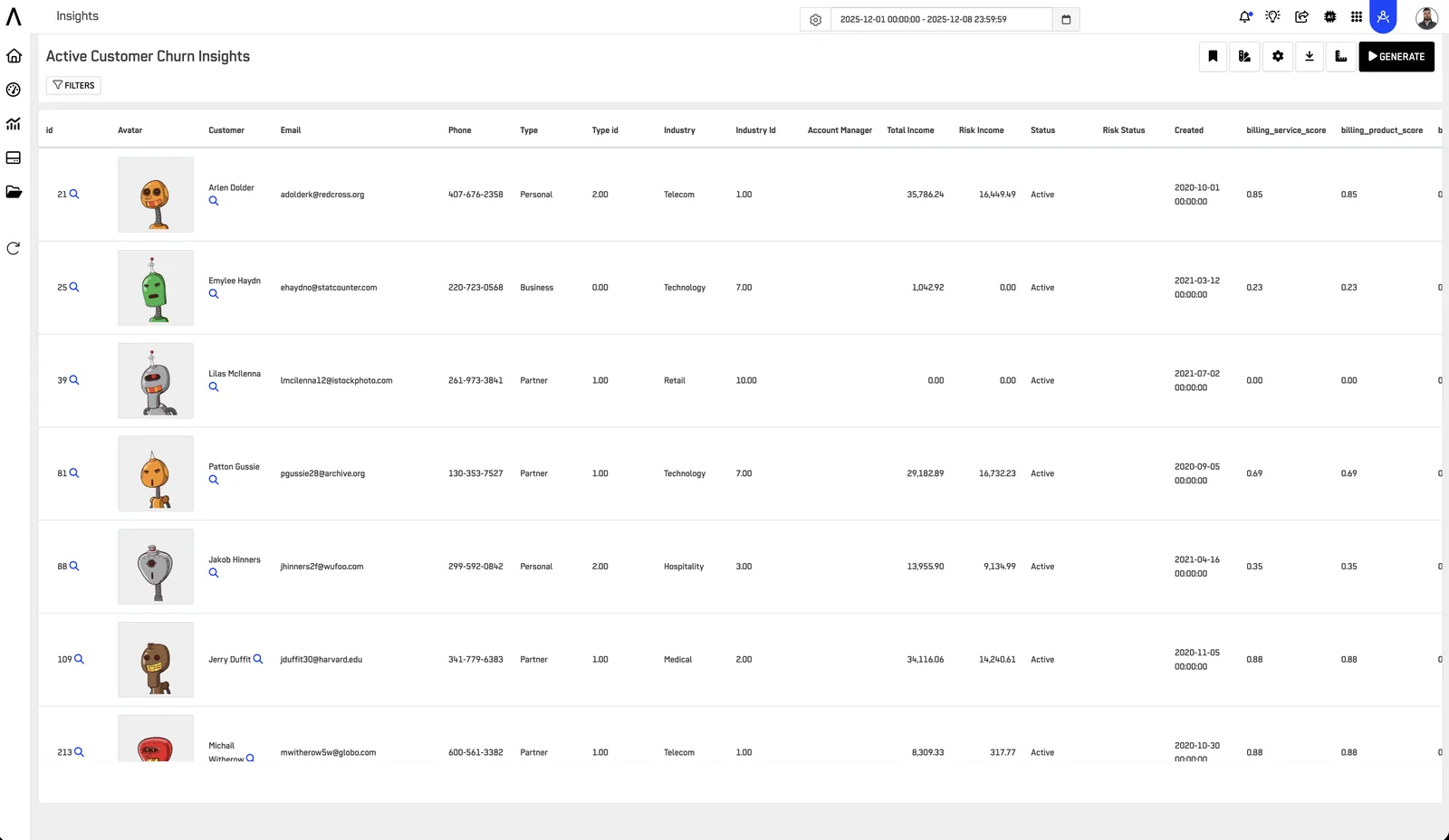
Example: A
dm_customerNode defines customer-level attributes that ML pipelines consume and that the platform exposes as a single business entity.
Connection to Data Layers#
Build Data Models on properly classified data:
| Data Layer | Data Model Usage |
|---|---|
| RAW | Not recommended. Clean the data first. |
| CLEAN | Development and testing only |
| GOLD | Primary source for production Data Models |
| OPTIMIZED | Production models that need performance tuning |
Important: Only GOLD and OPTIMIZED tables are indexed in the Knowledge Catalog. A Data Model built on CLEAN tables works in a workflow, but it won't be available for reasoning or LLM-powered exploration until its source moves to GOLD or OPTIMIZED.
Best Practices#
Define Data Models early in project design, so they anchor your business concepts.
Reuse one Node per business entity across workflows. Don't create duplicate definitions of the same entity.
Link production Data Models to GOLD or OPTIMIZED source tables. Use CLEAN tables only while developing and testing.
Document entity relationships and data lineage in the Reasoning Atlas.
Use clear naming conventions for discoverability:
| Name | Entity |
|---|---|
dm_customer |
Customer |
dm_product |
Product |
dm_transaction |
Transaction |
Related Documentation#
- How to create a Node: step-by-step setup.
- Reasoning Atlas: how Data Models connect to organizational knowledge and semantics.
- Knowledge Catalog: what's indexed for reasoning and LLM exploration.
- Transform & Prepare: how data is standardized before it's modeled.
- Repository Tables: how base data is registered for reuse.
- ARPIA Data Layer Framework: naming and tagging data layers (RAW → CLEAN → GOLD → OPTIMIZED).
- Access Governance: requesting and granting access to Nodes.