How to share folders?
Step-by-Step Guide#
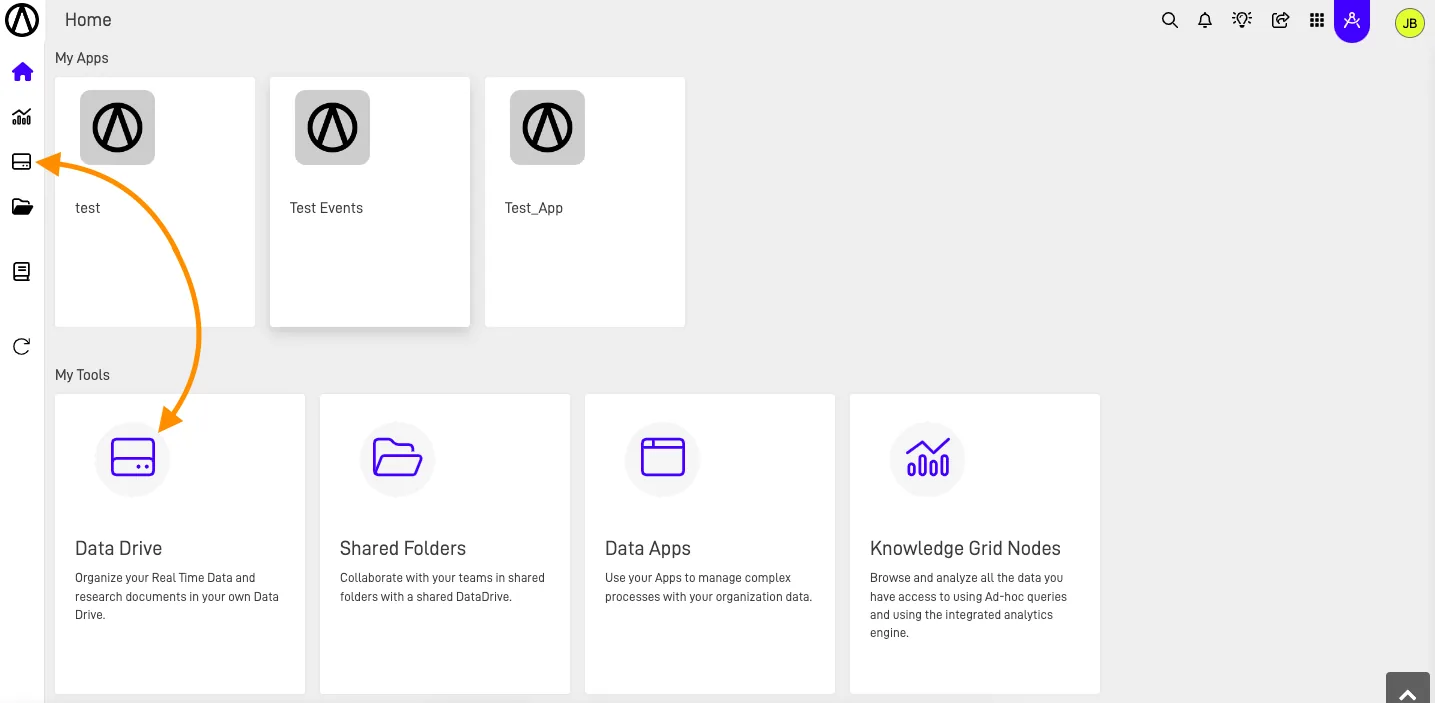
Step 1: Access the Shared Folders Section#
Navigate to the Shared Folders section in the ARPIA main menu .
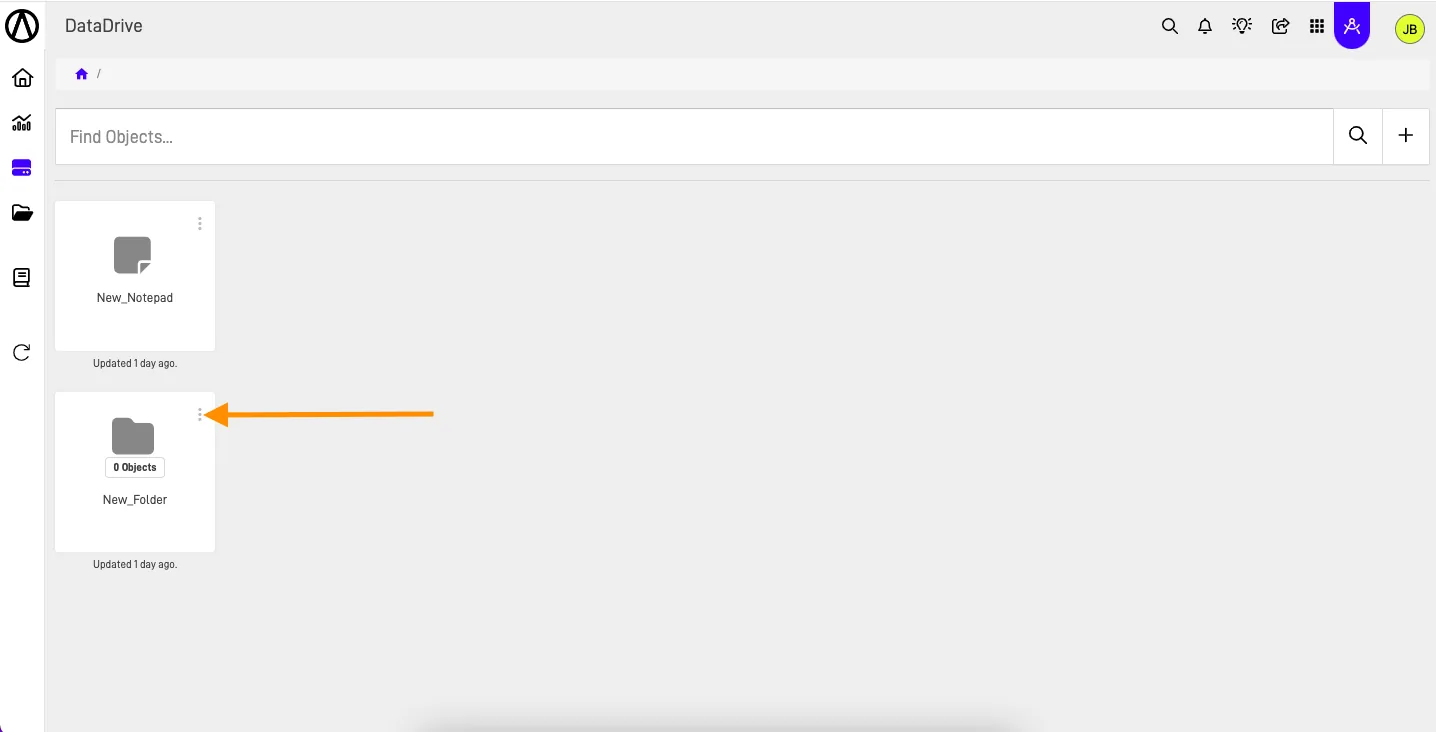
Step 2: Select the action button on an existing Folder#
Click the "Three vertical dots" button to open the Actions menu.
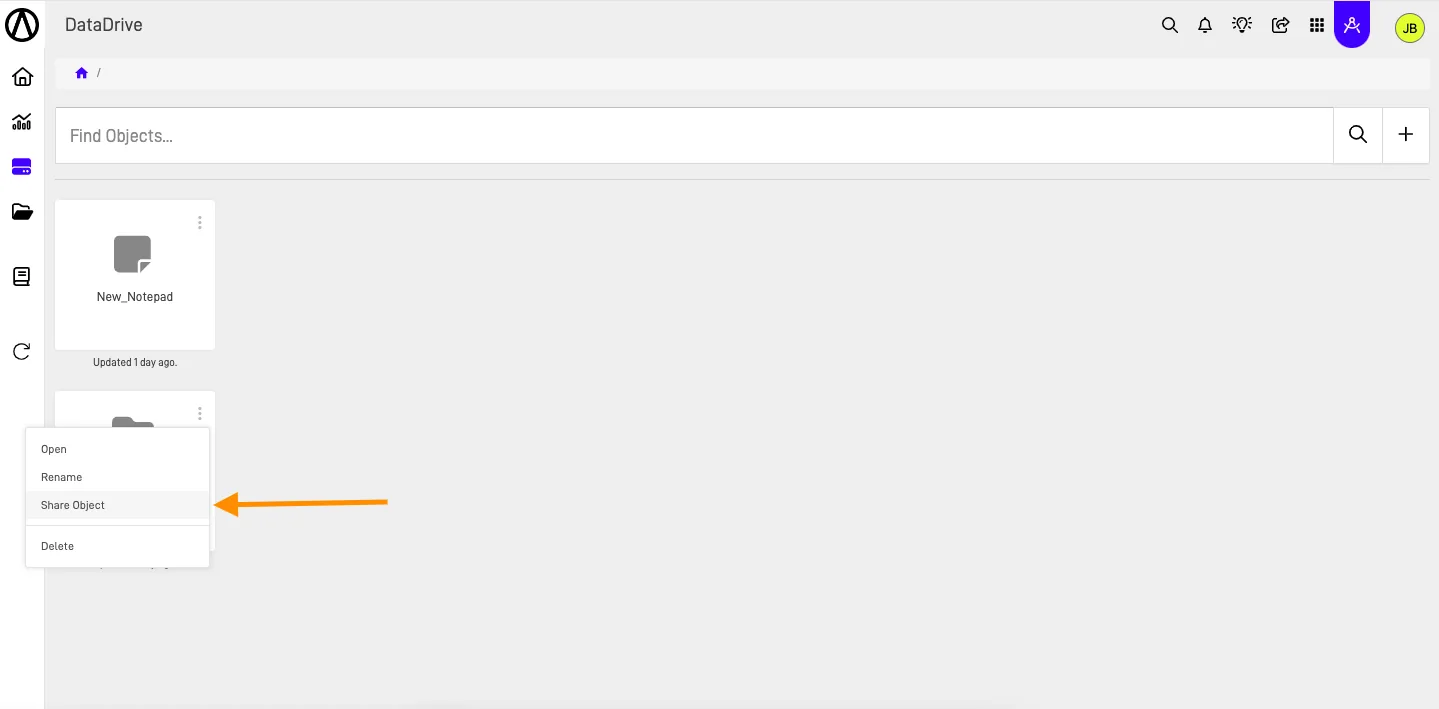
Step 3: Select the "Share Object" action#
Select "Share Object" option of the action menu.
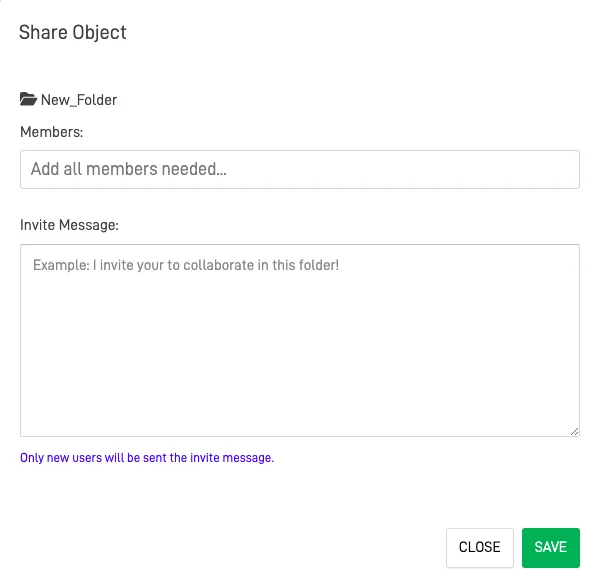
Step 4: Fill out the Share Object form#
In the Share Object form, add all the members you want to share the folder with. Optionally, you can include a personalized invite message.
Warning
Members
You can only add users that exist in the Workarea where the folder is located.